What I owe
How much I owe, to whom, and since when.
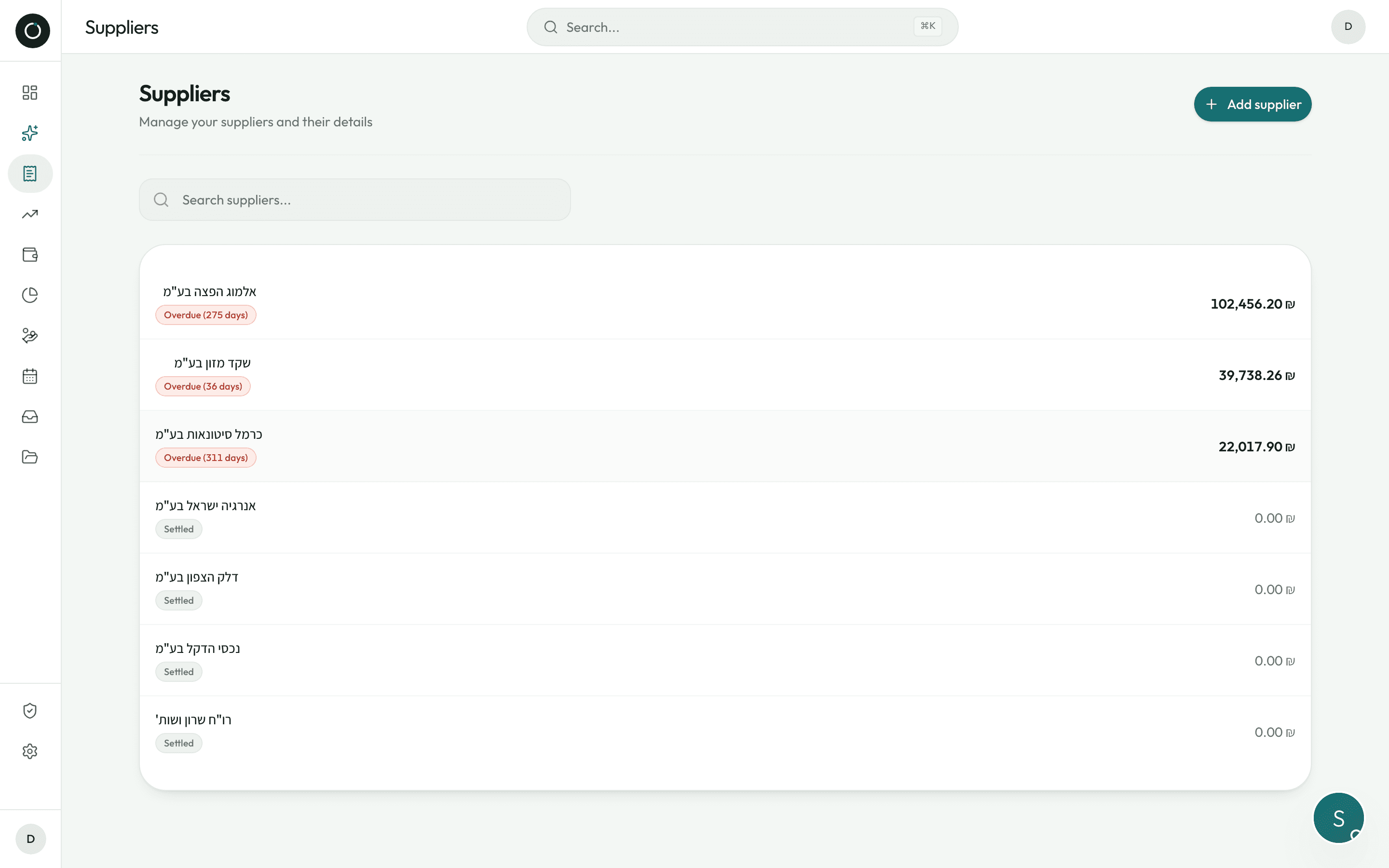
Two numbers at the top of the screen: what is left to pay, and what is genuinely overdue — next to the name of the supplier who has been waiting longest, with a “Pay” button beside it. Your supplier list is not an alphabetical directory: it is sorted by what you owe each of them.
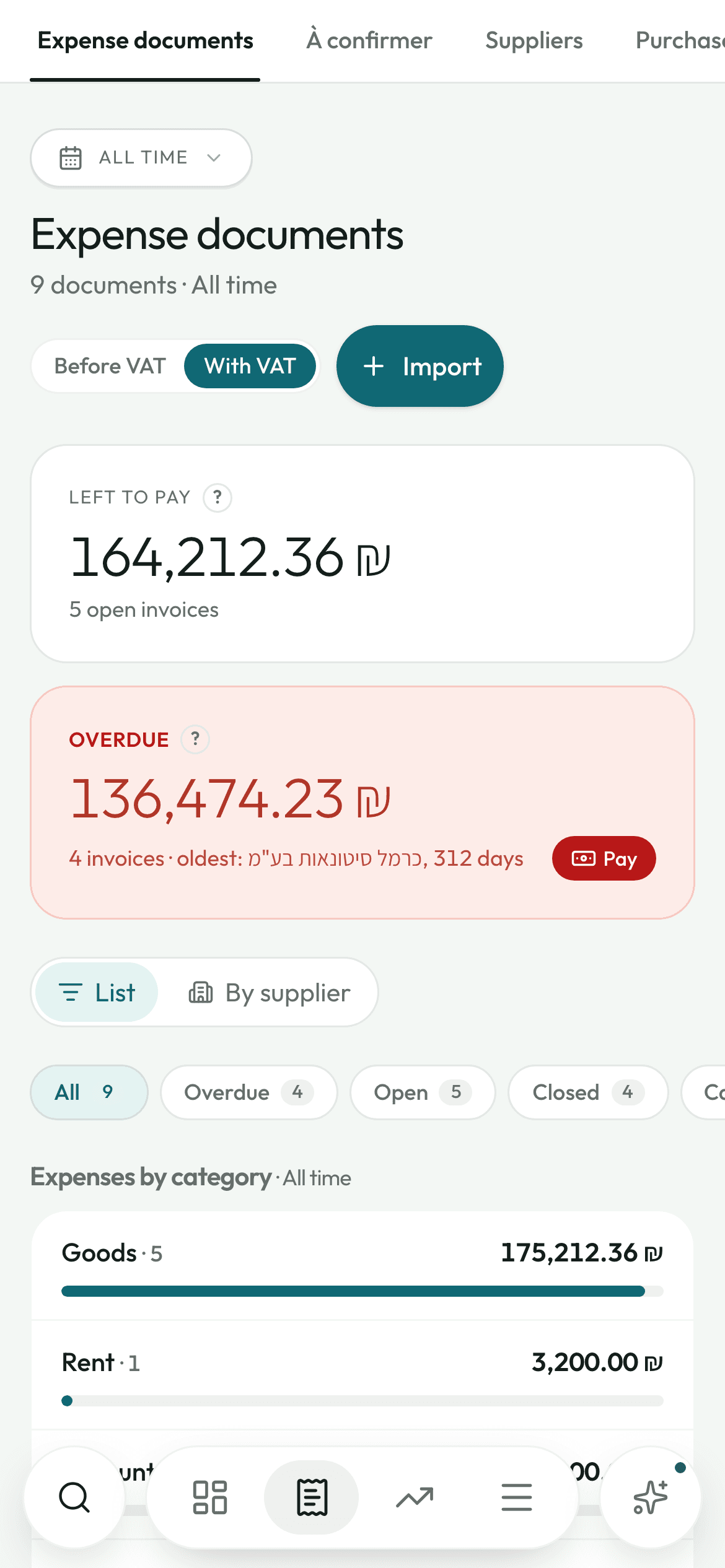
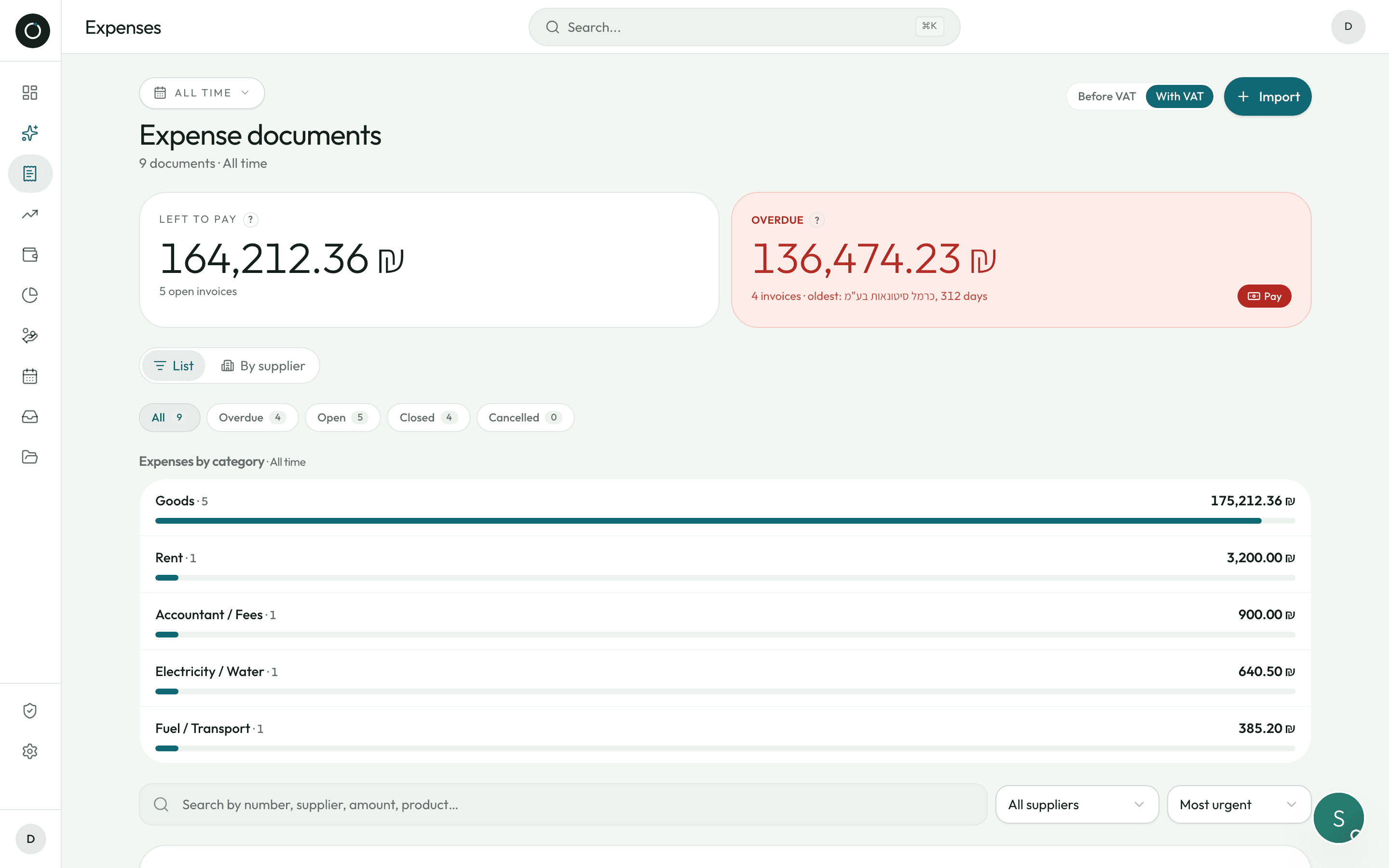
The list always opens on what is most urgent
Urgency is the default order: overdue invoices first, the oldest at the top, then the closest due dates. Every document past its date carries a red dot with the number of days.
- Tabs for All / Overdue / Open / Closed / Cancelled, in the wording used by the standard Israeli accounting software — including for a credit note (זיכוי) or a receipt (קבלה), which are neither paid nor overdue
- A List / By supplier switch: what you owe each one, largest first, each with its “Pay” button
- Search finds a document by number, by supplier, by amount — and even by product name inside the lines, forgiving the odd slip in the scan
- A yellow panel flags likely duplicates on its own, and any invoice that comes to more than three times the usual amount for that supplier
- Documents are grouped by month, each month folds away, and the screen comes back exactly as you left it
- Switch the document list and the summary by category between amounts before VAT (מע״מ) and amounts with VAT
Paying the way it really happens
You do not pay invoice by invoice: you make one transfer, you hand over two cheques. The payment window works the same way.
- One lump sum spreads itself over the unpaid invoices, oldest first — and every line stays editable for a part payment
- Several methods inside a single payment: cash, cheque, bank transfer, Bit, card, each with its own reference and date
- A post-dated cheque is filed as upcoming: it appears in the calendar on its date and does not swell today's cash
- A cheque number already on file raises a real question — wrong number, or is this cheque paying several invoices? Two buttons, never a dead end
- The app turns down a payment larger than what the invoice can still take, and shows you the maximum
- The supplier's credit notes are there in the window, and you can open them to check before you pay
A cheque, a credit note, a receipt: it all lands on the right balance
Left to pay is the amount, minus the credit notes linked to it, minus the receipts linked to it, minus what has already been paid. You find that same calculation in the list, on the statement and in the payment window — down to the agora.
- A receipt never adds to what you have been billed: it only counts towards what is paid
- You pay, you record the payment, then the supplier sends the receipt and you scan it: the app sees the proof of that same payment and does not deduct it a second time
- One receipt can cover several invoices: the amount spreads from the oldest to the most recent, and anything left over is shown separately
- A credit note is not something you pay: on a credit note the app hides the payment status and the due date instead of marking it overdue
- A leftover of less than one shekel is set aside as a rounding difference, outside the balance: nobody runs after 80 agorot, but nothing evaporates either
- “Mark as paid” records a real payment of the balance, not a label

Credit notes and receipts deducted — this is what is really left.
The supplier's account statement (כרטסת), kept up on its own
The statement your supplier sends you, the app keeps on its own side at all times: one line per movement, like a bank statement.
- Invoice on the debit side, credit note / receipt / payment on the credit side, the running balance under each line, grouped by month with a subtotal
- A balance brought forward when you filter a period, and one button to reverse the order of the lines
- Export to real A4 pages, and send it on WhatsApp with the message already written
- On the supplier's page: “To pay” in very large type, a badge Up to date / Due soon / Overdue (X d), and “of which overpaid credit” when there is any
- Payment terms (immediate, שוטף+30, שוטף+60), how long you take on average to pay them, their last twelve months, and the top five things you buy from them
- A supplier is recognised by their business number (ח.פ), not by the way the name is spelled: the same one is not created twice when the branch changes
Checking the statement they send you
Your supplier says you owe them ₪12,000. Photograph their statement: the app reads it, sorts every line, and tells you what is missing on your side.
- It sorts every line — invoice, credit note, tax invoice / receipt, receipt — whatever the layout
- It shows what is missing: the type, the number, the date, the amount, and the total of the missing invoices
- The result stays on the supplier's page and keeps itself up to date: the moment you scan a missing invoice, it drops off the list
- It also points out documents that exist on both sides but do not carry the same amount
- The list of what is missing downloads as an A4 PDF, to show or to send
- Read only: nothing is created or changed in your books. You decide
Good to know
- Return notes (תעודת החזרה): what was not delivered or has to go back, with the reason and the quantity, shareable to the supplier as a PDF. It touches no balance — only a credit note truly deducts.
- Payments tab: everything you have paid your suppliers, grouped by month, with an “Upcoming” badge on post-dated ones.
- Left to pay tab: the unpaid invoices, grouped by supplier, the oldest due dates first.
- WhatsApp and Call from the supplier's page: an Israeli number is turned into international format on its own.
- Deleting an invoice also deletes its file from your Google Drive, and brings the prices of the products involved back up to date.
- A supplier who has invoices cannot be deleted by mistake.
Try it on your own real invoices.
Create my account14 days on us · No credit card