The evening
The evening Z, and what is really left in the drawer.
Photograph the end-of-day slip: the Z number, the date, the total, the amount before VAT (מע״מ), the VAT, the number of transactions and the cash / Visa / Mastercard split are already filled in. The cash balance is never typed in at all: it rebuilds itself from what actually happened.
The Z report, in one photo
Photograph the slip, check the figures, save. The slip stays pinned to the top of the screen while you read them through.
- Every pre-filled field carries a blue “read from the slip” badge, and it disappears the moment you correct that field
- “Card total” is always calculated (Visa + Mastercard), never typed in
- Two orange warnings, neither of them blocking: when the amount before VAT plus the VAT does not come to the total, and when cash plus cards does not either — “Check it, or save anyway”
- One tap, one report, even on a slow phone over 4G: two sends at the same moment never create two Z reports
- Several Z reports on the same day are still allowed: two tills, or a midday closing
- Once saved, the screen scrolls to your report and highlights it — no hunting for it
- Correcting a Z report already on file reopens the same filled-in form, without creating a duplicate
The missing days, without accusing you unfairly
The app spots the days with no Z report. And it works your opening days out from your own history: a day is only expected if you have already run a Z on it.
- Closed on Mondays, open on Saturdays: nothing to set up, it learns your opening days on its own
- Never today: the Z is printed at closing time
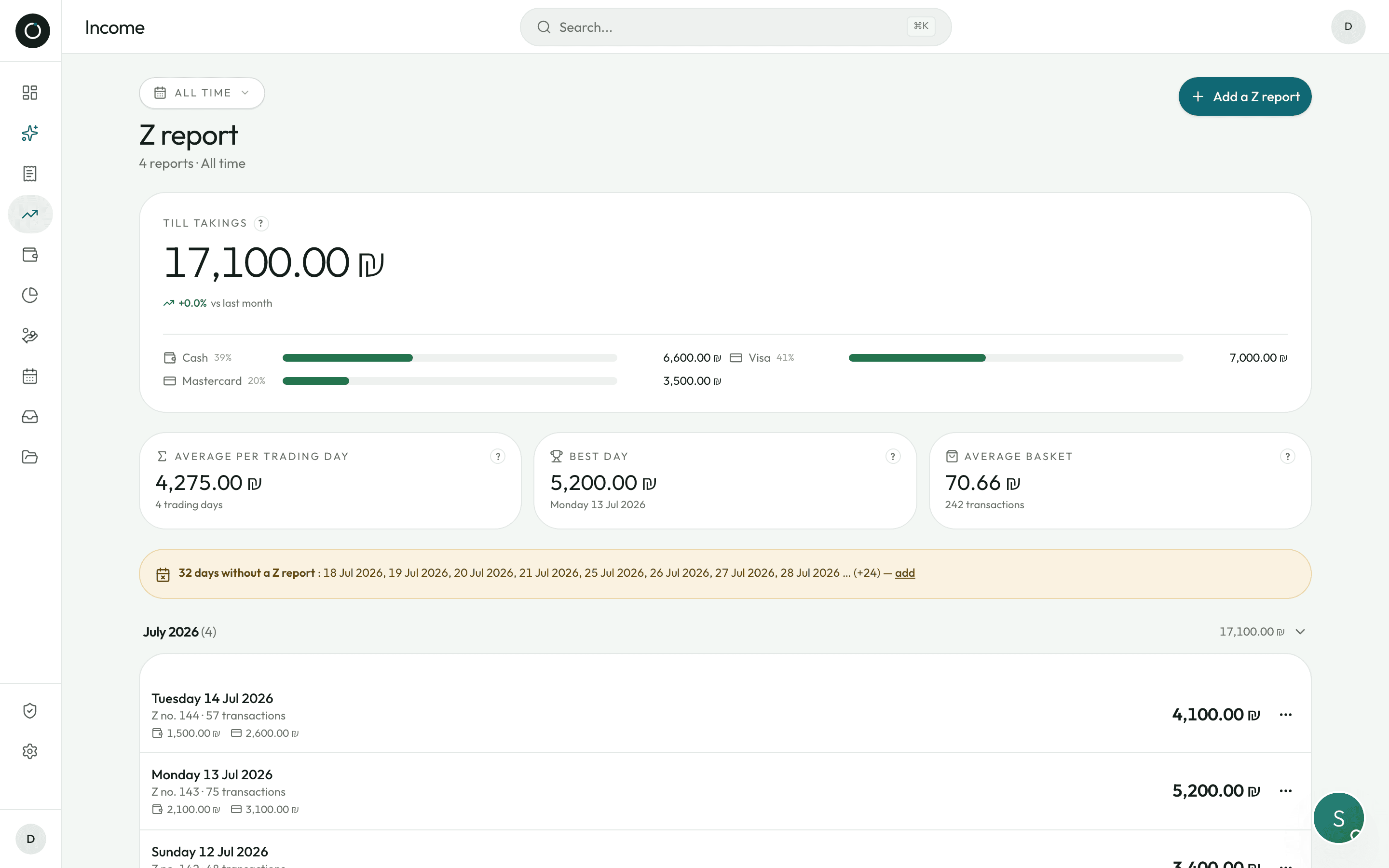
- An orange banner lists the missing dates, and the whole of it opens the screen to add one
- It never looks back further than your very first Z report
What the shop took, over whatever period you choose
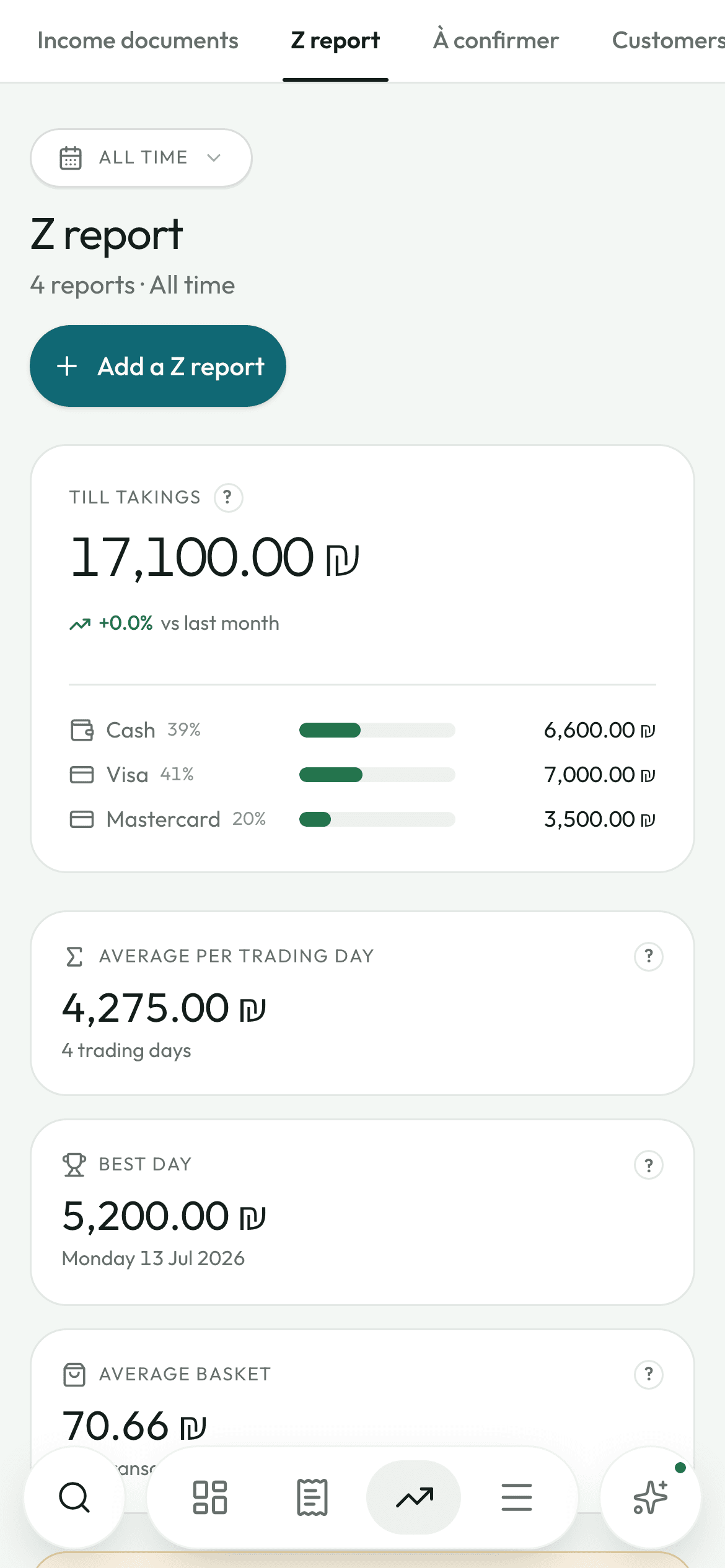
One large “Till takings” card, set against the period before it, and a breakdown of how customers paid at the counter.
- Cash / Visa / Mastercard / Other, as bars, as percentages and as amounts
- An average per Z report, not per calendar day: the days you were closed do not count
- Your best day of the week, with its date and its amount
- Average basket, worked out from the number of transactions read off the slip
- A “?” beside every figure explains it in plain words
- Opening a Z report brings the whole day back, slip included, full screen
The cash balance works itself out
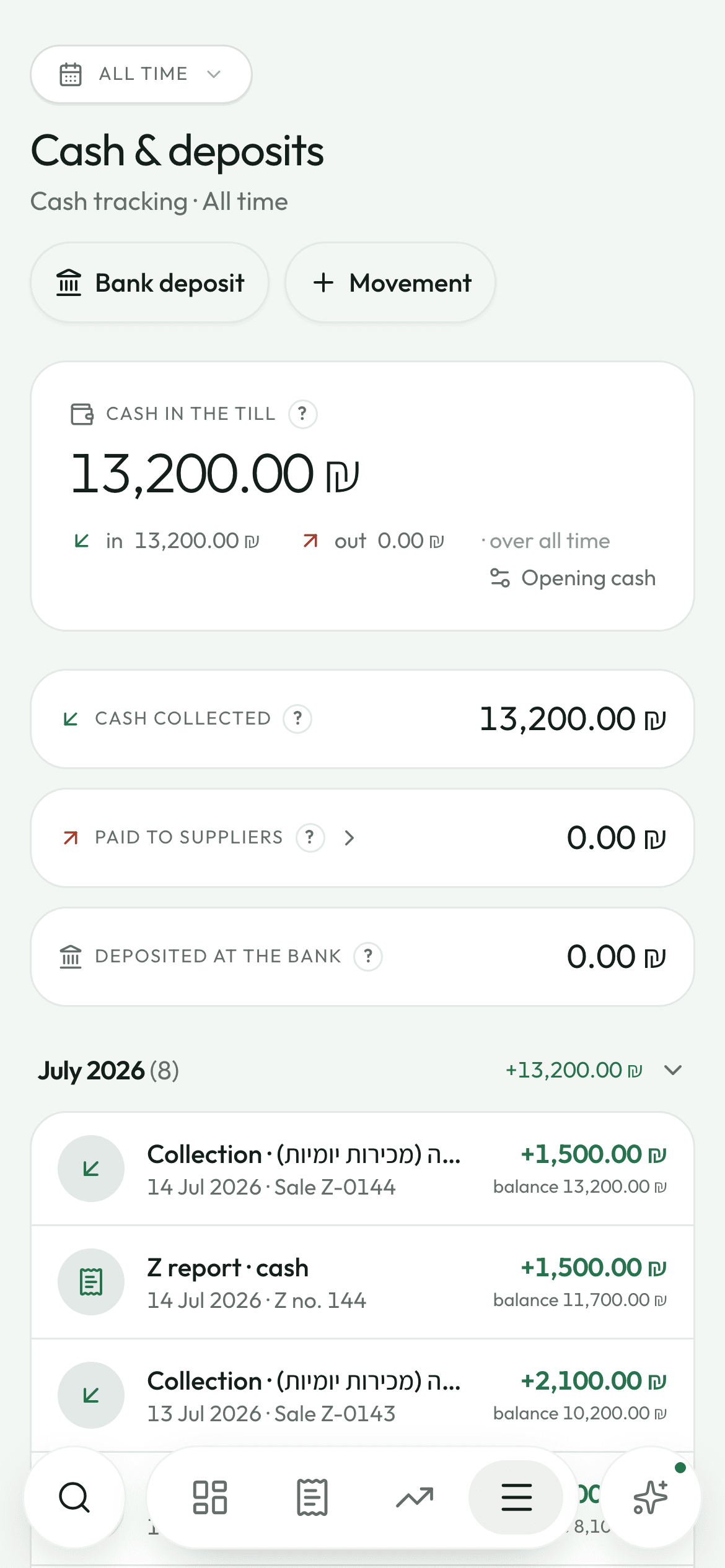
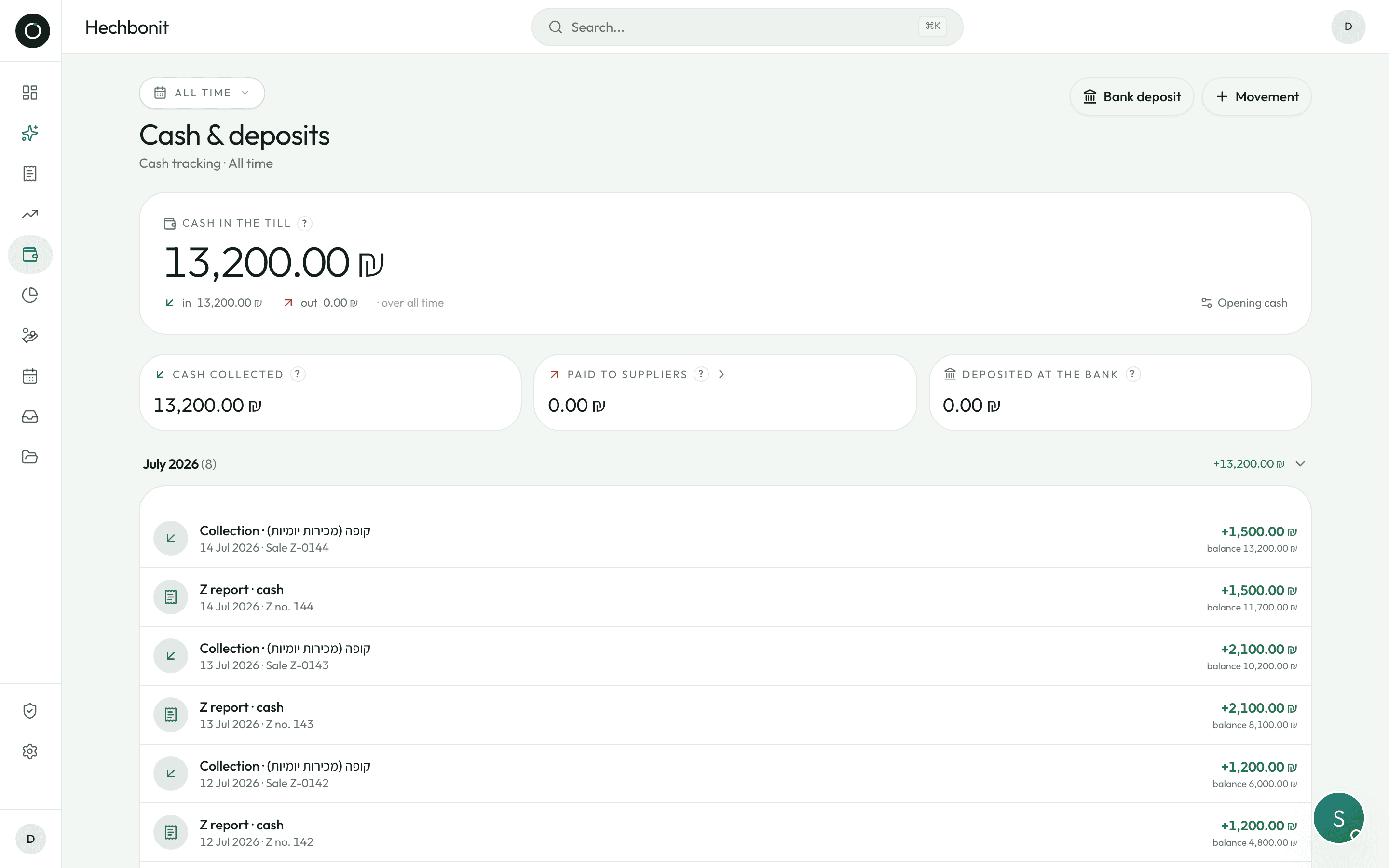
Nobody types it in and nothing freezes it: it is rebuilt every time the screen opens, from what actually happened.
- In: income collected in cash, and the cash share of every Z report
- Out: suppliers paid in cash, bank deposits, and money taken out that you entered by hand
- Correct or delete an invoice, a payment or a Z report and the drawer corrects itself: no old, wrong figure is left sitting there
- Only cash goes through the drawer: a cheque, a bank transfer or a card never touches it. And cash collected on a date next month goes in on that day, not today
- An opening float, so you start from the real amount you have in hand on day one
- A one-off movement (buying change, taking money out): a direction, an amount, a label — and it is on the books
- If the till drops below zero, the figure turns red. Nothing is hidden from you
The bank deposit: you tick what you are taking in
Instead of typing a round figure from memory, you tick “this Z report and that payment”. The bag you carry to the bank matches something exact.
- The list of cash that has not been deposited yet, oldest first, everything ticked to start with
- Part deposits are allowed: what is left of a Z report stays visible and can go in later
- Every line explains what remains: “of ₪6,585 · ₪6,000 already deposited · ₪462 paid out in cash”
- How you deposited it: ATM (כספומט), merchant deposit bag (תיק עסקי) or over the counter (פקיד) — so you can find the movement on your bank statement months later
- Before you confirm: “After this deposit, ₪840 will be left in the till”
- The detail of a deposit stays available, frozen exactly as it was on the day
- Delete a deposit and its cash goes back into the drawer
Good to know
- History grouped by month, with the till balance running under every line, like a notebook.
- A movement that came from a document takes you back to it: a collection opens the income document, a payment opens the invoice, a deposit opens its own detail.
- A filter by deposit channel: one click and you see only the deposits made at the ATM.
- When the save button is greyed out, one line tells you what is missing.
- The “Paid to suppliers” tile opens the list of invoices settled in cash over the period.
- The “Cash in the till” card is right there on the dashboard, with the month's ins and outs.
Try it on your own real invoices.
Create my account14 days on us · No credit card