Your assistant
A question about your books? Just ask.
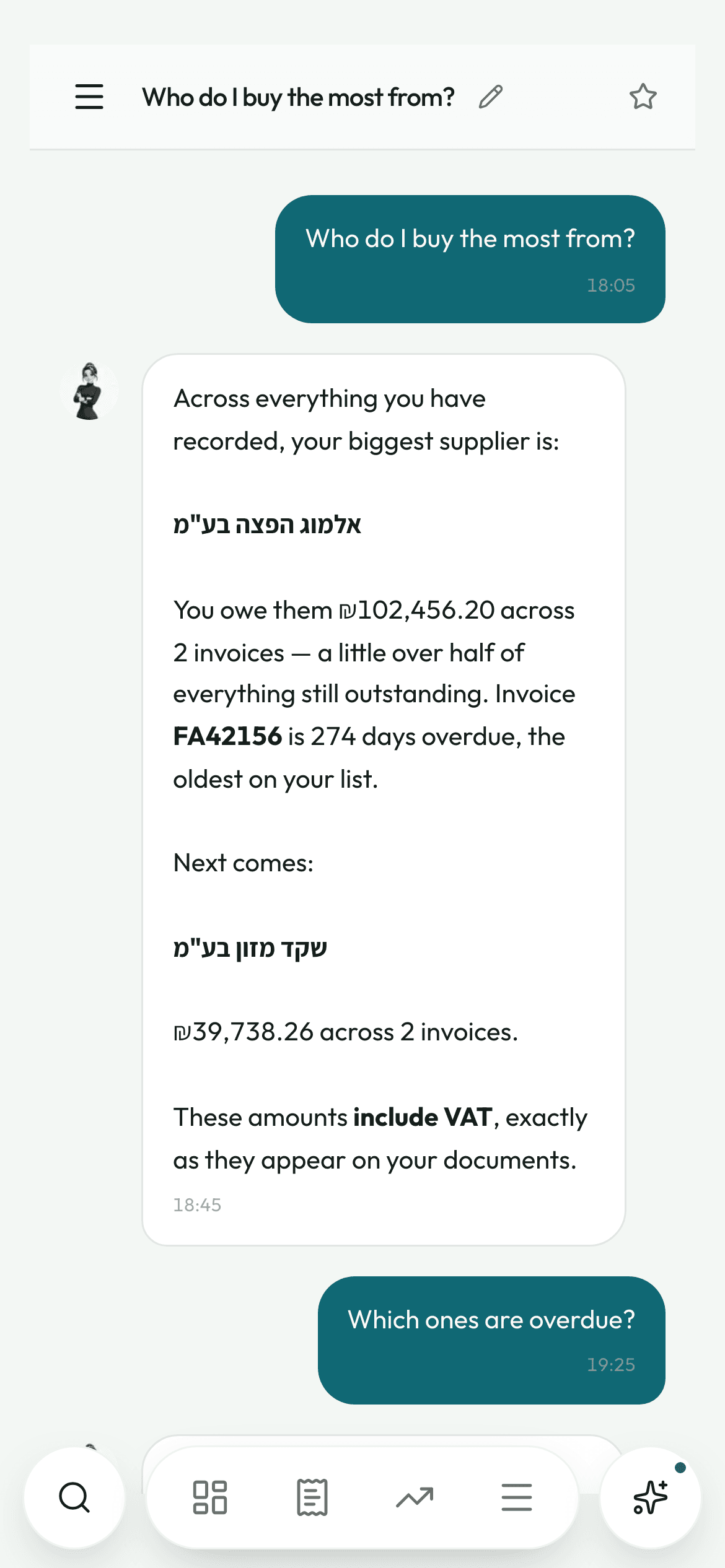
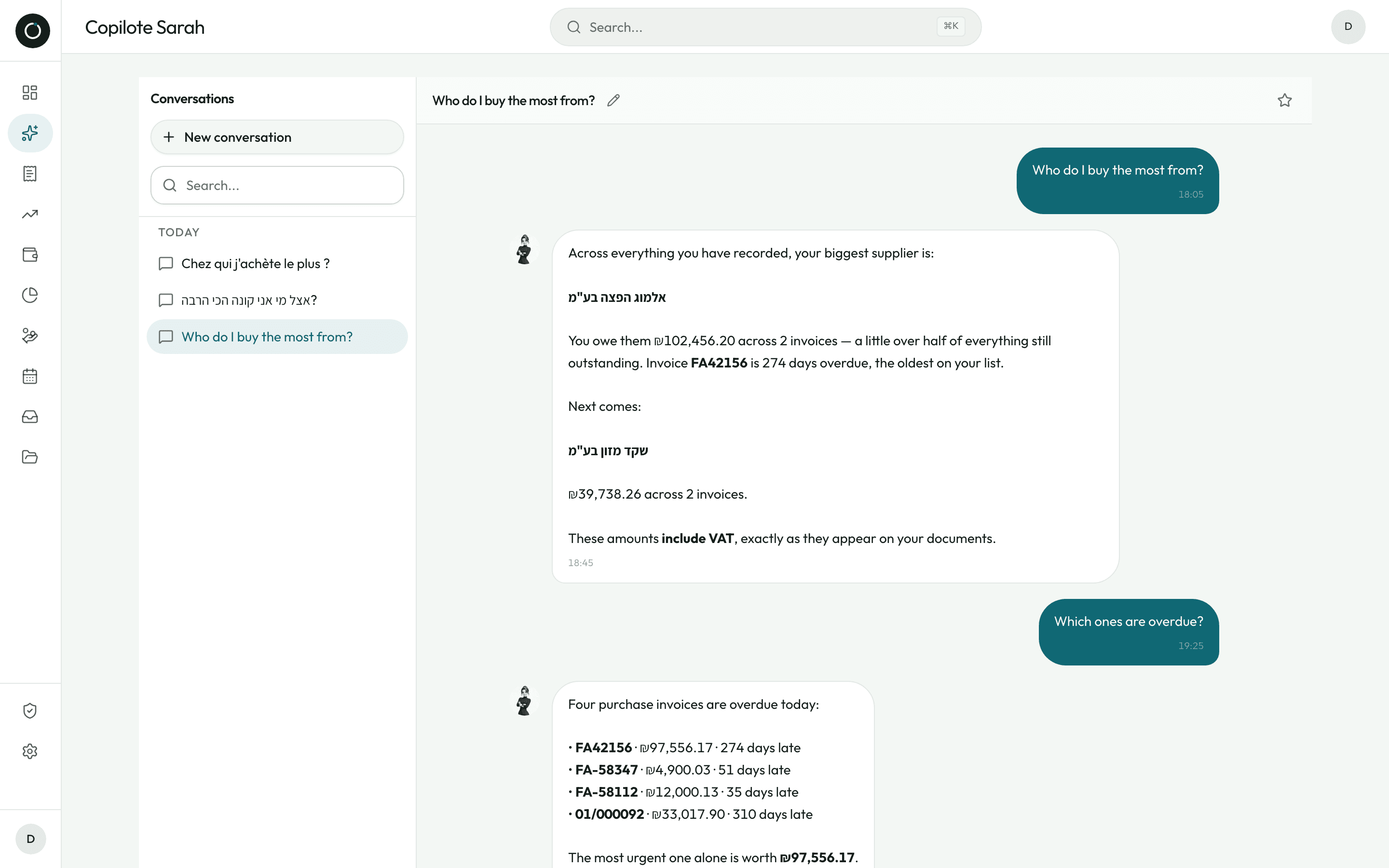
Sarah is the one who reads your invoices — this time in conversation. Write to her the way you would write to a person. She searches your suppliers, your customers, your invoices and your products, and answers with your own figures. Either the answer is in your data, or she tells you it is not.
What she knows how to look up
Ask a question and she goes straight to your data. For a harder one, she runs several searches in a row until she has enough to answer.
- Your suppliers: the contact, how many invoices, the total invoiced, and how many are still not marked paid
- The products you buy: the latest price, the one before it, the change in percent
- One search across everything at once — expenses, income, suppliers, customers, products — for when you no longer know whether “Cohen” is a customer, a supplier or a name on an invoice
- Three ready-made questions on the empty screen, so you never have to guess what she can be asked
- A technical hiccup on one search does not bring the whole answer down: she tells you and tries another way

Just ask me — I'll go and look through your data.
She talks like a shopkeeper
The tone is the one you use in the shop, not the one in a manual.
- Amounts in shekels in the Israeli format, percentages with their % symbol, bold on what matters, bullet points as soon as there are several figures
- She is built to say whether a total is before or with VAT (מע״מ), and to keep product names exactly as they are written on your invoices
- A small line under the message box is a standing reminder: “Sarah can make mistakes. Check anything important.”
She only ever sees your data
Every search is restricted to your account, and the thread of the conversation is read back from your data, not from the browser.
- Nobody else can get your figures out of her, and she cannot land on the wrong account
- She remembers only what is really saved in your account
- The conversation page is kept out of search engines
A paperclip for sending a document
In the middle of a conversation, you can send her an invoice the way you send a photo in a message.
- Photos and PDFs, several at a time
- You say whether it is an expense, income or a Z report (דוח Z)
- The document takes the same route as a normal upload and lands in your “To confirm” queue, where the reading happens
- An immediate confirmation, and a “View” button that takes you straight to the right queue

Send it over — I'll put it in your “To confirm” queue.
Your conversations, kept in order
Each conversation takes your first question as its title, on its own. You never have to name anything.
- Sorted by age: Favourites, Today, Yesterday, This week, Older
- A star to pin what you use often, a pencil to rename, a bin to delete
- Anything you do not pin is deleted after seven days: the list never turns into a dumping ground
- A search box to find a conversation by its title
Good to know
- A round Sarah button in the bottom bar on a phone, a bubble in the bottom right corner of every screen on a computer.
- Typing works like a text message: Enter sends, Shift+Enter starts a new line, and the box grows with the text.
- On a phone, the message box never ends up behind the browser bar.
- Answers are properly laid out: bold, bullet points, line breaks.
- Three bouncing dots while she works, so you are never left wondering whether the app has frozen.
- She is introduced in the guided tour the first time you log in.