Your employees
A smart filing cabinet for your payslips.
Your accountant runs the payroll. The app copies out what is printed on the payslip, files it by employee and by month, explains every line, and does the sum nobody ever does: what an employee really costs you, employer contributions included.
Photograph the slip, everything comes across
A photo or a PDF, and the payslip is read from top to bottom — without a single figure being recalculated.
- Name, employee number (מספר עובד), ID number (ת.ז), month, total payments (סה״כ תשלומים), mandatory deductions (ניכויי חובה), net pay (שכר נטו), days and hours worked
- Every payment line and every deduction line, with its wording and its amount
- The employer's share of national insurance (ביטוח לאומי)
- A PDF holding several payslips splits itself page by page, with a running “Reading 3 of 7…”
- Drop several files at once, photos and PDFs mixed together, until this month's pile is gone
- The “Scan” button opens the same scanner as for invoices, for a payslip on paper
The right employee, never twice
Each time a slip is read, the app looks for the employee in a set order, and creates them if they are not on file yet.
- By ת.ז, then by employee number (leading zeros ignored: “0019” is “19”), then by a very close name
- An employer cost summary (תמחיר) is never taken for a payslip: it is recognised and set aside, so no phantom employee ends up carrying the whole company's total
- One payslip per employee per month: scanning the same slip again replaces it instead of creating a second one
- The month is taken exactly as it is written in figures on the slip (07/2026, 7-2026, 2026-07…), and you fix it in a moment if it is missing
You finally understand what it says
Every line of the payslip is explained next to it, and the original wording stays there in small print.
- Income tax (מס הכנסה), health (בריאות), national insurance (לאומי), training fund (השתלמות), pension (פנסיה), severance (פיצויים), recuperation pay (הבראה), travel (נסיעות), overtime, commission, holiday, sick leave…
- Anything with no known match is left exactly as it is: never an invented wording
- Slip by slip, everything can be corrected before you save — the amounts, the wordings, and the lines themselves, which you can add or remove
- The document stays on screen, large, above the form, through all three checking steps
What this employee really costs me
The sum nobody does: net pay, plus every deduction handed to the State on their behalf, plus the employer's own contribution. An employee you pay ₪12,000 net can cost you more than ₪15,000 once it is all added up.
- Net pay + deductions + the employer's national insurance = total employer cost, with every gap set out
- The employer contribution is looked for first on that month's employer summary, then on the employee's record, then on the slip itself
- If it is missing, you add it by hand on a payslip already on file — nothing to scan again
- Wages go into the dashboard expenses on the 1st of the month, employer cost included: the month's result finally counts your employees
One employee's year on a single screen
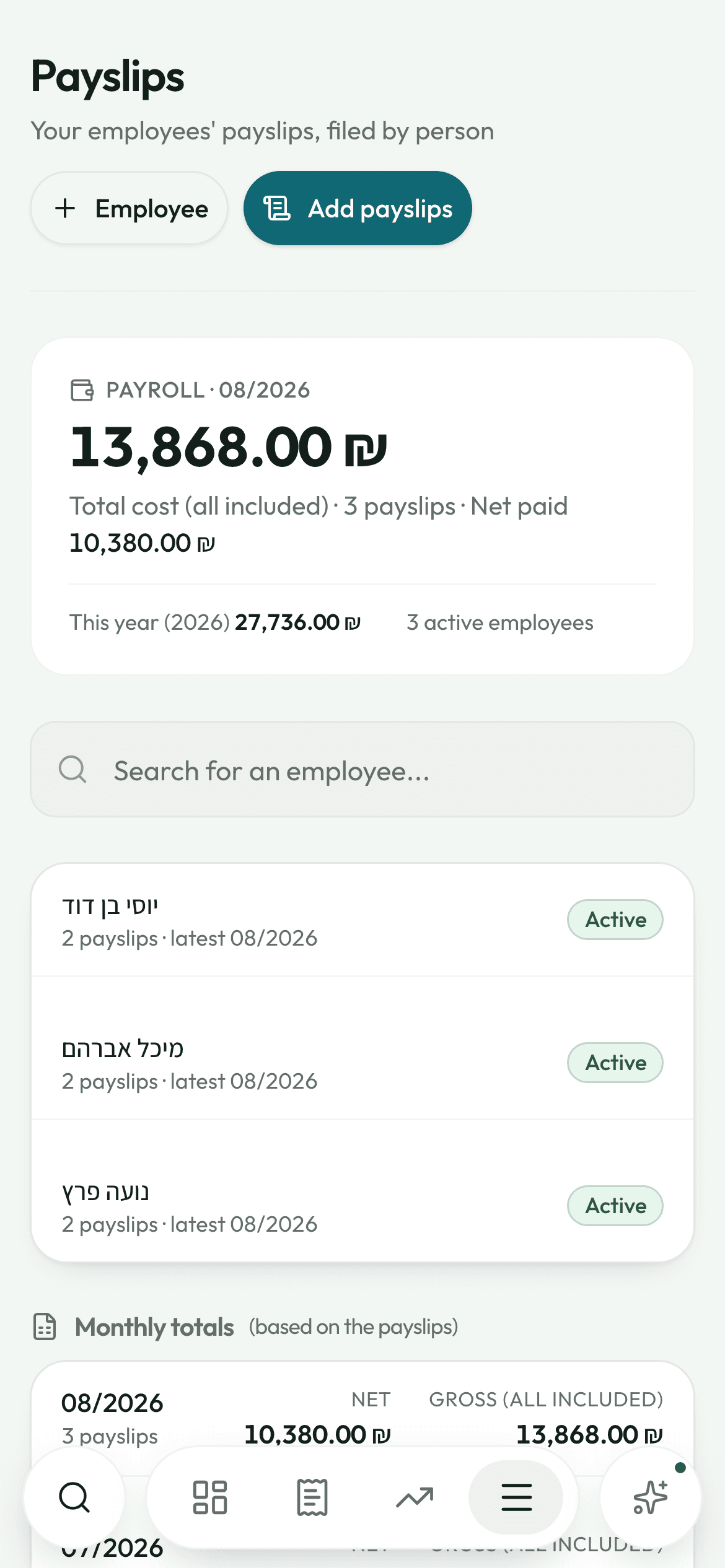
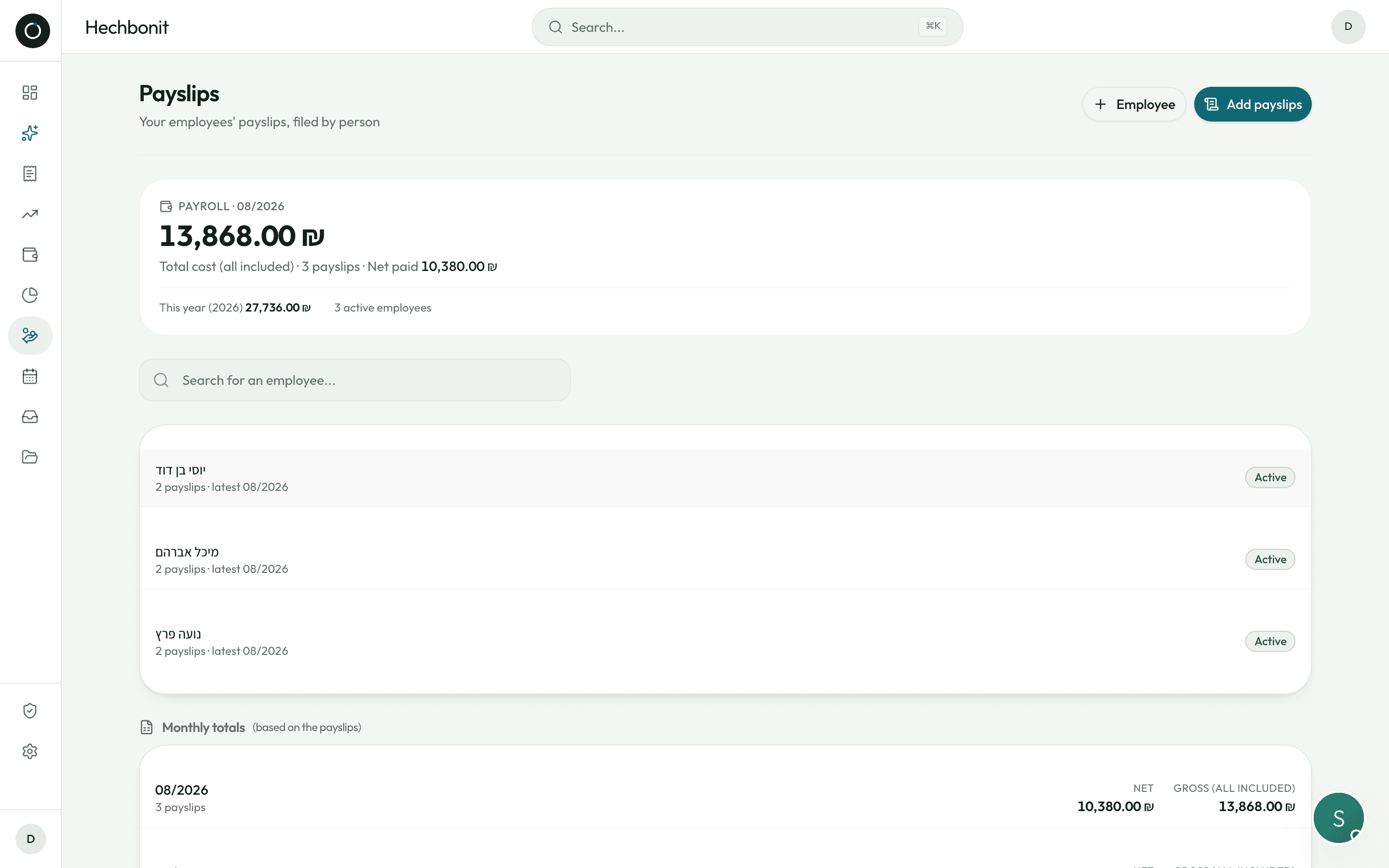
On an employee's page: their avatar, their number, their ת.ז, then the whole year.
- “7 payslips · 5 months missing”, or “full year ✓”
- Three figures: net paid, gross all in, average per month
- A grid of the twelve months: green with a tick and that month's net pay when the payslip is there, dotted when it is missing
- Monthly totals are worked out from the payslips actually on file: take one away and the total drops
- On the page listing your employees: last month's cost, the total for the year, how many people you employ, and a banner telling you who you have forgotten this month
Good to know
- Every payslip is filed in your own Google Drive, under Payslips / employee name.
- The real document opens at full quality inside the app, with no Google sign-in screen in the way.
- Delete a payslip and its file goes from the Drive too; delete an employee and all their payslips go with them.
- A payslip already saved can still be corrected afterwards: the month, the amounts, the lines.
- The batch check screen shows a whole set as one table, so you can fix a misread month before saving.
- Names and amounts always read the right way round, never jumbled.
Try it on your own real invoices.
Create my account14 days on us · No credit card